Racelab · Promo code and overlays
Racelab promo code: SIMUGAL
Copy SIMUGAL, visit Racelab through the SimuGal link and check whether the code applies to the plan you choose. Confirm the offer and final total in Racelab’s checkout before paying.
Your Racelab code
SIMUGALThis is the code listed in SimuGal’s existing Spanish guide. No percentage, expiry date or plan eligibility is confirmed here. The retailer confirms whether the promotion is accepted; copying the code or opening the link does not apply a discount by itself.
What Racelab adds to a sim racing setup
Racelab displays simulator information through modular overlays that you can arrange around your screen. Relative timing, standings and fuel information can help you keep relevant data in view while driving.
The original SimuGal guide covers customisable overlays, a fuel calculator, a dynamic track map and VR features. Check the current feature list for your simulator and chosen plan on Racelab’s website. Features and plan conditions can change.
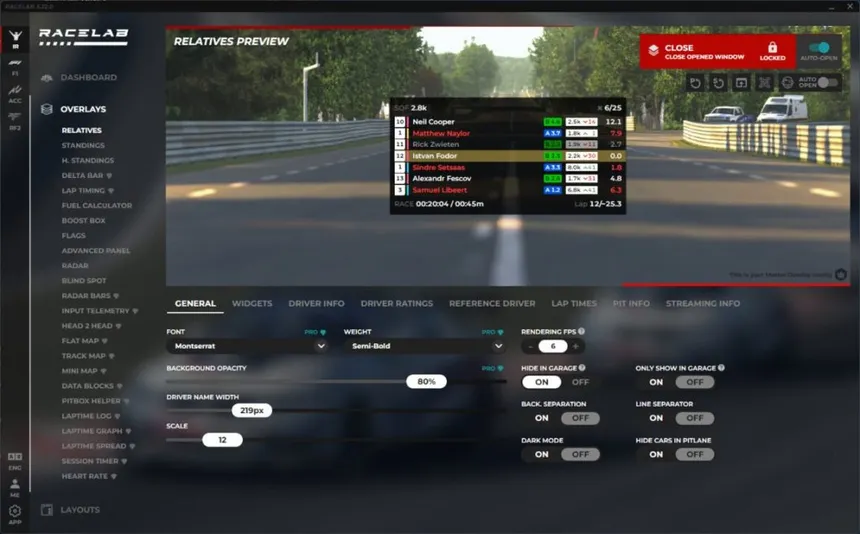
Fuel information, relative timing and standings
The fuel calculator uses consumption information to help plan how much fuel to add at a pit stop, with a configurable safety margin. Treat the result as planning information and check that the consumption, race duration and margin suit your session.
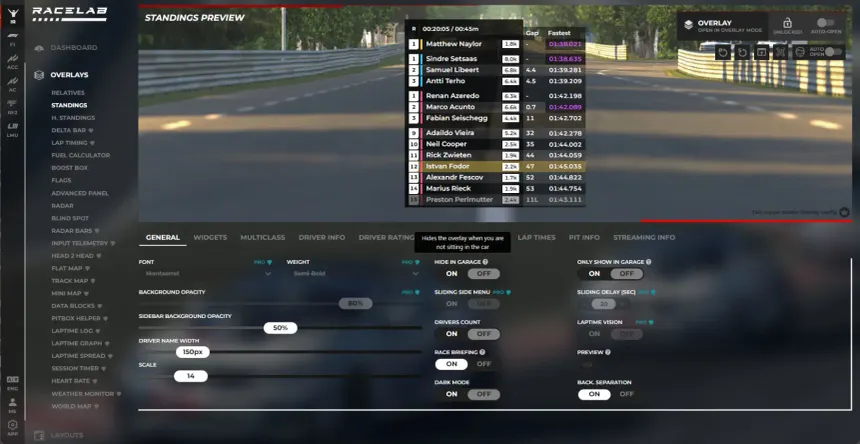
Advanced Relative and Standings organise information about the drivers around you. Depending on the simulator and supported features, the display can include gaps, iRating, licence, lapped status and pit information.
VR overlays
The guide describes positioning overlays in VR. Check the current headset, runtime and simulator requirements before choosing a plan; do not assume every VR setup works in the same way.
Blind-spot radar
A visual radar helps show nearby cars. It provides another reference alongside your mirrors and spotter; it does not guarantee that a move is safe.
Streaming overlays
Transparent-background widgets can be incorporated into an OBS Studio layout for Twitch or YouTube broadcasts.
Free version or PRO?
Start with the free overlays to check their readability, positioning and usefulness in your normal sessions. Compare the current PRO feature list and subscription conditions with the tools you actually need before upgrading.
If you choose a paid plan, enter SIMUGAL where Racelab accepts promo codes and check the resulting order summary. Do not assume an unaccepted code will be applied later.
How to use the Racelab code
- Open Racelab through the SimuGal link and review the current plans.
- Select the plan and billing period you want.
- Enter SIMUGAL in the promotion field, if available.
- Check eligibility, the final total and any renewal terms before confirming the purchase.
Frequently asked questions
What is the Racelab promo code shown by SimuGal?
The existing SimuGal guide lists SIMUGAL. Enter it exactly as shown and check acceptance in Racelab’s checkout.
What discount does the code give?
No specific percentage or amount is confirmed in this guide. Use the current offer displayed by Racelab for your chosen plan.
Does the referral link apply the code automatically?
Do not assume so. Copy SIMUGAL and verify the promotion separately in the checkout.
Affiliate disclosure: the Racelab link uses SimuGal’s Jasoil referral. Eligible purchases may generate a commission for SimuGal at no additional cost to you. Confirm code eligibility, the final offer and any renewal terms on Racelab before paying.